
Access Your Client Portal



We grant all of our clients secure access to their personalized client portal in order to share these secure communications regarding your matter:
Invoices
Calendar Events
Tasks
Documents
Notes
Messages
-
To access the client portal:
1) Open the automated email invitation from us. The subject line is “You have an update from Haider Khan Legal P.C.”
2) In the body of the email, click “Click here”.
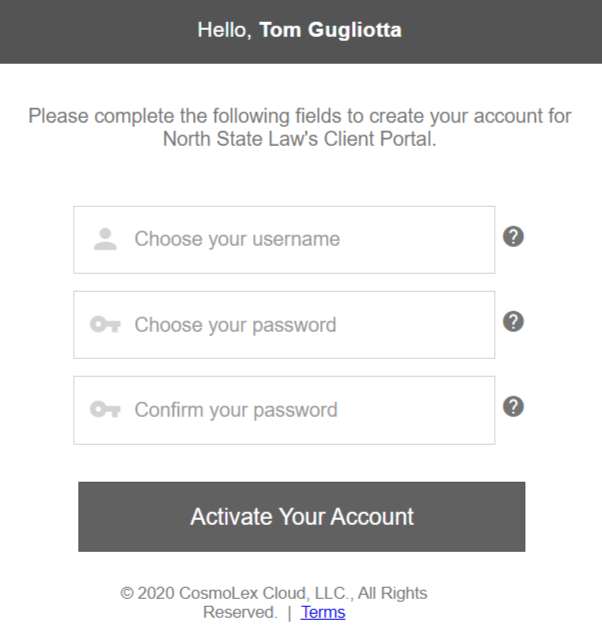
3) A welcome screen opens, prompting you to create your account.
4) Enter a username, password, and confirm your password.
5) Click “Activate your Account”. The system activates your account, allowing access to the Client Portal.
Supplementary Images:

-
If you happen to forget your password to log into the client portal, follow steps below:
1) Log into the client portal.
2) Beneath the “Log In” icon, click “Click Here”.
3) From the screen prompting you to Please select an option: click I forgot my username, or I forgot my password as applicable.
4) On the Recover Username or Reset Password screen as applicable, take the appropriate action:
To recover your username, enter the email address associated with your account.
To recover your password, enter your username.
5) Click Submit. The system either emails you your username or instructions to reset your password.
Note: If you do not remember your username, contact us. We can view your username but not your password.
Request your Free and Confidential Consultation
Complete the short form to submit a consultation request. We will answer your inquiry within one (1) business day. We look forward to helping you achieve your legal objectives.